
Silk Mobile
Table of Contents (Homepage)
- Overview
- Setting Up
- Getting Started
- How To
- Connecting Devices And Emulators
- Preparing Applications For Testing
- Managing Applications
- Recording Tests
- Working With Test Commands
- Adding Commands To Your Scripts
- Object Commands
- Click
- ClickCoordinate
- ClickIn
- ClickOffset
- Drag
- ElementGetProperty
- ElementGetTableRowsCount
- ElementListPick
- ElementListSelect
- ElementListVisible
- ElementScrollToTableRow
- ElementSendText
- ElementSetProperty
- ElementSwipe
- ElementSwipeWhileNotFound
- GetAllValues
- GetElementCount
- GetElementCountIn
- GetTextIn
- IsElementBlank
- IsElementFound
- IsFoundIn
- LongClick
- RunNativeAPICall
- SendWhileNotFound
- VerifyElementFound
- VerifyElementNotFound
- VerifyIn
- WaitForElement
- WaitForElementToVanish
- GetCoordinateColor
- DragDrop
- Application Commands
- Device Commands
- Web (Hybrid) Specific Commands
- Utilities Commands
- Monitoring Commands
- Configuration Commands
- ExtractLanguageFiles
- SetDefaultClickDownTime
- SetDefaultTimeOut
- SetDefaultWebView
- SetDragStartDelay
- SetInKeyDelay
- SetKeyToKeyDelay
- SetLanguage
- SetLanguagePropertiesFile
- SetShowImageInReport
- SetShowPassImageInReport
- SetShowReport
- SetSpeed
- SetThrowExceptionOnFail
- SetWebAutoScroll
- StartStepsGroup
- StopStepsGroup
- TextFilter
- Miscellaneous Commands
- Controlling Element Identification Rules
- Editing Test Objects
- Executing Test Scripts
- Report Of Executed Test
- Working From Code Environment
- Continuous Integration
- Layout Verification Tests
- Use Device Vitals Monitors
- Troubleshooting
- Terminology
Dynamic WEB Recognition
|
|
|
|



User can use WEB recognition method with the following options:
-
After Hybrid application preparation: Preparing Native/Hybrid Applications for Testing
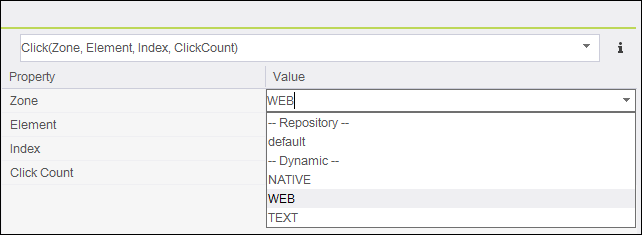
Step 1: Set the Zone to "WEB"
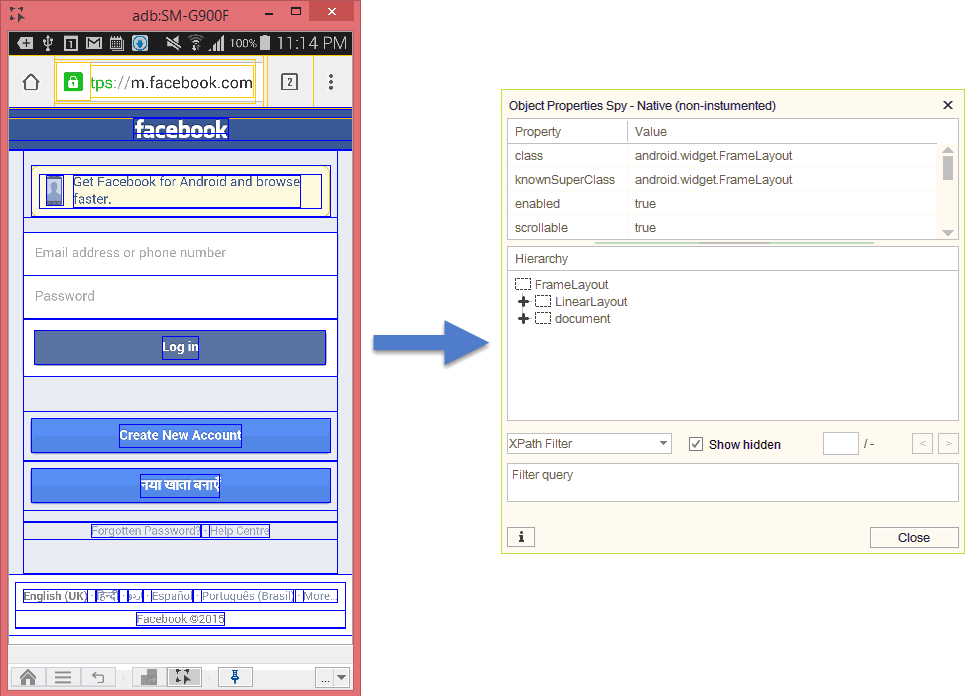
Step 2: Use the Spy icon button to get the Native properties of all the elements on the screen.
Web elements will be marked in Blue rectangles indicating it is a web object.

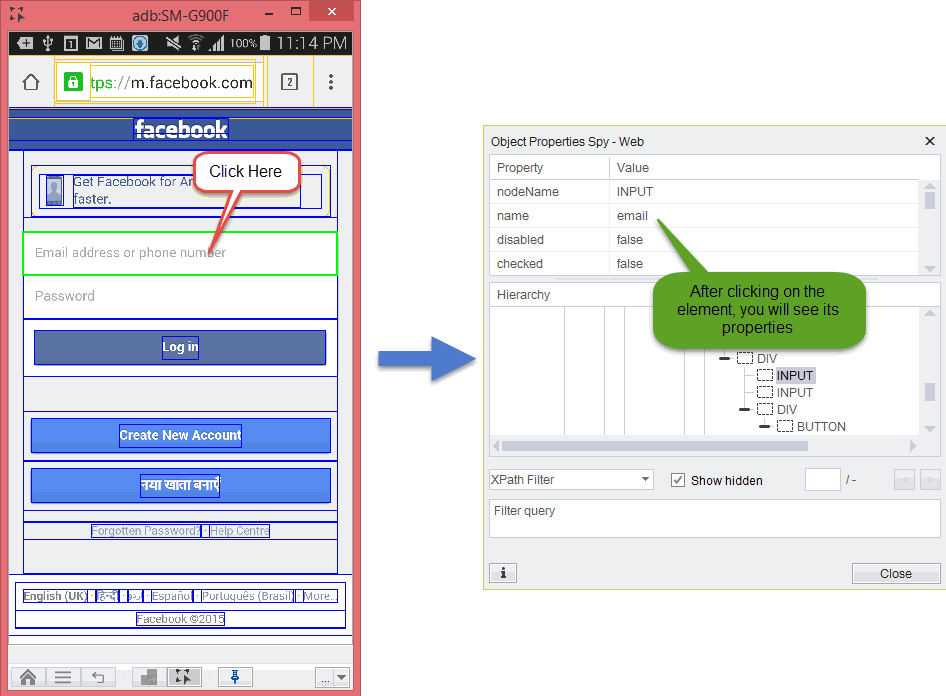
Step 3: Mark the required element and you will see in a pop-up box all the Object/Element Native properties.
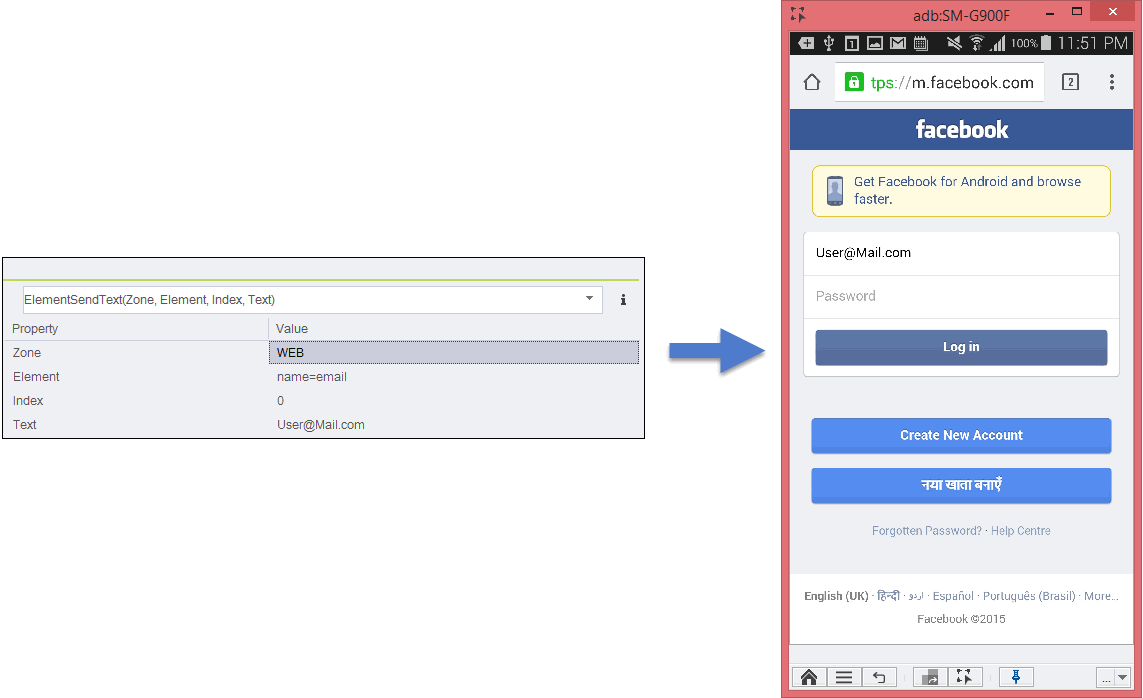
Step 4: Copy them to insert on the command’s element parameter.
Advanced
nclick:
In this case the event will be sent to the element directly instead of by its coordinates.
The syntax is nclick:<query>=<value>
hybridClick:
With the setProperty command
In this case, javascript will be used to send the click event.
Customized identification properties in WEB mode
You can specify additional attributes of web elements that will be used search and identification by Silk Mobile. By default, web elements will be identified by standard HTML element attributes like node type, id, name etc. If in your HTML page or hybrid application HTML elements contain additional attributes that can be used in automated tests, you can configure Silk Mobile to collect this information and use it later in XPath expressions.
The configuration of additional attributes is performed in the app.properties file by appending additional.web.identifiers key with comma-separeted list of attribute names.
For example:
additional.web.identifiers=automation-id,myIdentifier,data-value
After editing the app.properties file and restarting the Silk Mobile you can use the configured identification attributes in XPath expressions
For example:
xpath=//*[@automation-id=’main’]
Object spy will also display them in Properties Dialog along with the rest of standard identification attributes.